¶ How to Use obziy Wiki?
This guide helps you quickly understand and efficiently operate obziy Wiki knowledge base.
Welcome to obziy Wiki! This is the official document & support center for all obziy DTF printing equipment users. This tutorial will help you get started and make full use of obziy Wiki efficiently.
¶ What is obziy Wiki?
obziy Wiki is an online documentation platform built exclusively for DTF printer operators. It provides detailed product manuals, troubleshooting guides, operation tutorials, software setup instructions, firmware upgrade notes, community-co-creation and latest product updates. Whether you are a beginner or experienced operator, you can find all the materials you need to operate obziy printers, heat presses and related supplies smoothly.
¶ Wiki Homepage Layout Introduction
The top navigation bar of Wiki homepage includes search bar, tag filter, language switch and personal account entry. Below the bar, the page layout consists of sidebar navigation, subdirectory menu, comment section, page editor and main content area from left to right.
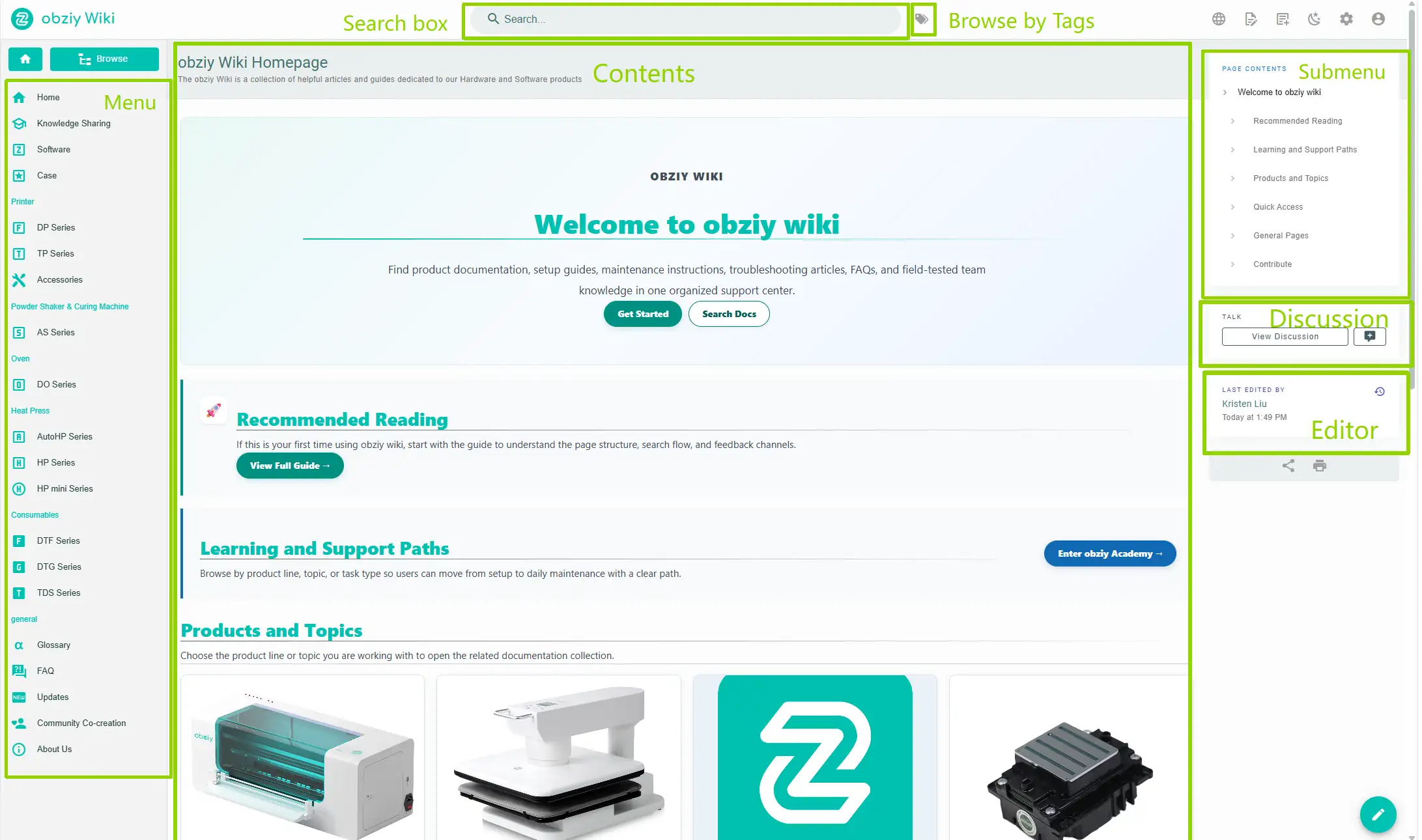
Note: obziy Wiki supports guest access without login. Login portal for editing & community post will be launched later.
¶ How to Solve Problems via obziy Wiki?
When you encounter failures related to DTF printers, you can go to the Wiki homepage to search for your issues, or jump from printer / software pages to view corresponding troubleshooting solutions.
After entering the Wiki homepage, you can locate target content through the three methods below:
¶ 1. Search Bar
Enter keywords in the top search bar of the page to quickly match relevant documents.

¶ 2. Tag Filter
obziy Wiki provides classified tags sorted by topics, product lines and functions to help you filter content quickly.
Click the tag icon next to the search box on the top navigation bar to open the tag selection page, then pick tags matching your demands.

¶ 3. Side Navigation Menu
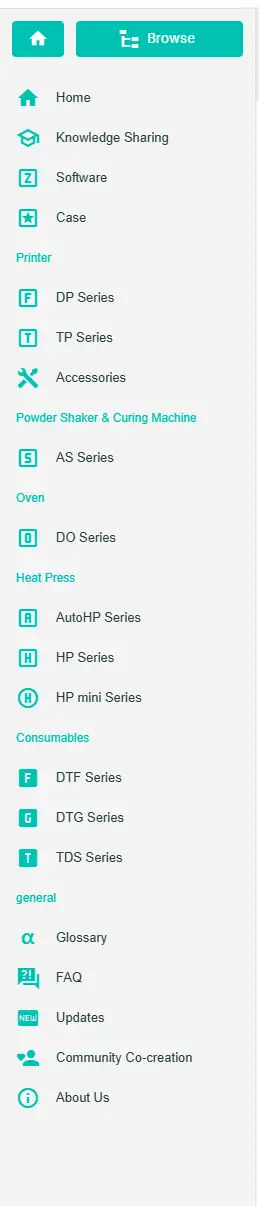
The left sidebar contains all product categories. Click the target series (DP / TDS / DTG / TP / Software etc.) to expand submenus and open detailed guides.
¶ Notes
We hope this detailed guide is helpful and provides valuable information for you.
To ensure safe and proper operation, if you have any questions or concerns about the procedures described in this article, we recommend submitting a technical support ticket. Please attach pictures or videos to describe your issue, along with any other relevant information related to your problem.